Choose a sample, venue pilot or rollout scope after reviewing the target market and equipment route.
Build Your Own Shared Power Bank Network.
Start without a software team. Connect hardware, rentals, supported payments and an operator dashboard. Test a few venues before you grow.
Low-cost pilotValidate demand before heavy investment
Venue expansionScale with real orders and station data
Own-brand platformMigrate after the model is proven

Launch stack
Hardware · SaaS · App/H5 · Payments
Overseas launch path
Four steps from pilot package to go-live.
Match venues, payment habits, language and hardware format.
Prepare dashboard, pricing, roles, H5/App flow and payment setup.
Launch under SaaS first, then upgrade to your own brand when ready.
Resource Hub
News, Market Guides And Launch Articles In One Place.
Review market entry ideas, product updates and practical shared power bank launch articles before choosing your pilot package.
Role-based software
Shared Power Bank Software Function List
Operator Reading
Pilot Launch Resources
OEM / ODM
Brand Customization Path
Choose a role and review what it can view and do across 21 core functions in six languages.
Open integration Hardware Protocol Developer CenterRead the complete v1.51 command semantics, upload and downlink parameters, CRC code, test vectors and machine-readable contracts.
News Industry News CenterFollow SaaS, hardware, payments and operating updates for overseas shared power bank teams.
Markets Country Market SolutionsChoose Singapore, Malaysia, UAE, Africa or Europe plans by pilot scope, payment readiness, hardware fit and operating model.
Singapore Power Bank Rental SystemA B2B launch page for operators, agents, venue owners and brand teams planning Singapore pilots.
Review buyer questions, starter guides, H5/App flow, pilot packages and payment setup before choosing devices.
Plan device appearance, H5/App flow, local payments, packaging and SaaS configuration for your own launch brand.
Pilot Launch Packages
Choose A Review Stage Before Confirming Quantity.
A single-station pilot is available. Choose a review stage, then confirm the model, payment route and operating scope for your market. Special colours, tooling or custom development may have separate costs and minimum quantities.
Scope confirmed after product and market review
- Review the station format and target venue
- Confirm protocol, branding and destination needs
- Define a controlled UAT checklist
- Keep payment and software terms conditional
Quantity follows venue access and service capacity
- Compare selected venue types
- Plan replenishment, returns and support
- Validate renter and operator workflows
- Review provider and dashboard dependencies
Commercial terms remain project-specific
- Plan the station mix from verified venue needs
- Define agent, merchant and support ownership
- Review own-brand requirements
- Separate later private-deployment decisions
Confirm target venues, station formats and the scope to evaluate.
Review operating roles and the documents needed for the selected payment provider.
Set approved pricing, account permissions and integration settings.
Test payment, dispense, returns and refunds before launch.
Quantity and commercial terms are confirmed after model selection, destination, branding, shipping, payment work and warranty scope are reviewed.
Next Step After Validation
Let your brand grow with your business.
Validate demand with standard hardware and platform services. Add device, rental UI or packaging customization as your needs develop. Custom work and private deployment have separate scopes and quotes; neither is a prerequisite for a pilot.
View OEM / ODM CustomizationA workspace for daily rental operations
Focus on venues and customer service. Use assigned account roles to manage devices, rental records, merchants and finance tasks. Available actions follow your project configuration.
- Devices & power banks
- Rental orders
- Refunds & exceptions
- Merchants & agents
- Commission & withdrawals
- Roles & permissions
Functions follow the menus and permissions enabled for your account. Payment, dispense, refund and payout results require validation with the selected devices and providers.
Explore management functions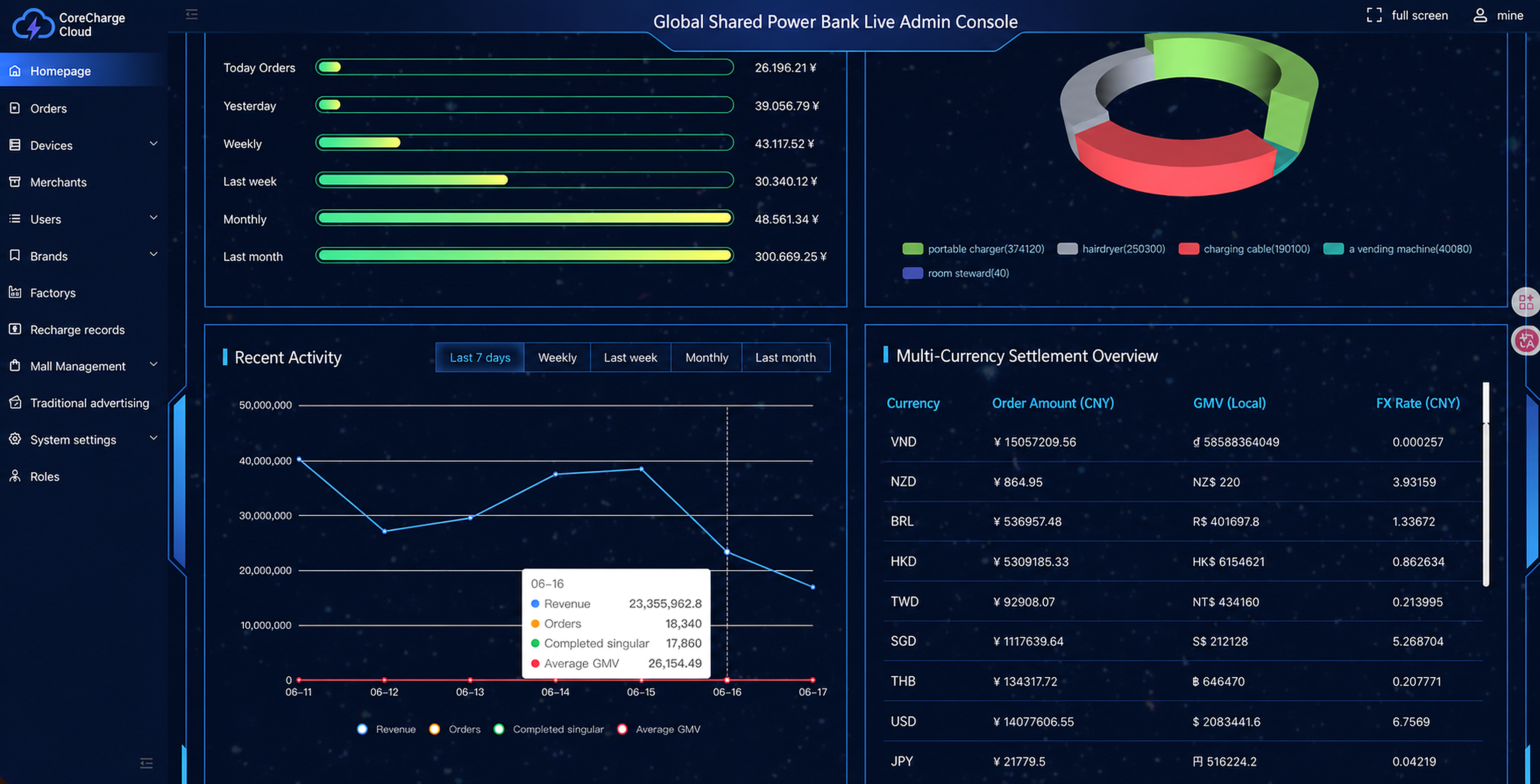
Demo data
Orders18,340
Revenue23.35M
Stations374K
Scan
Pay
Rent
Migrate
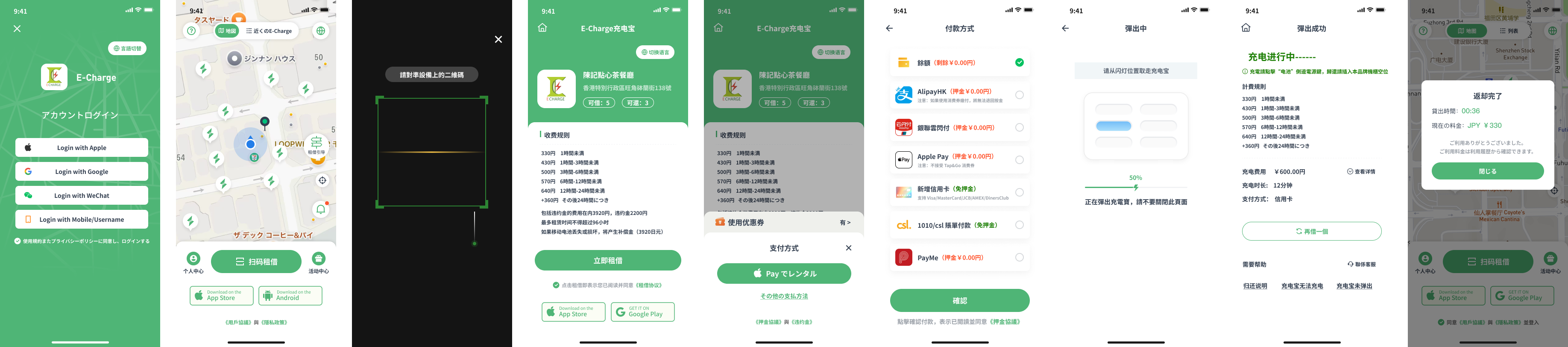
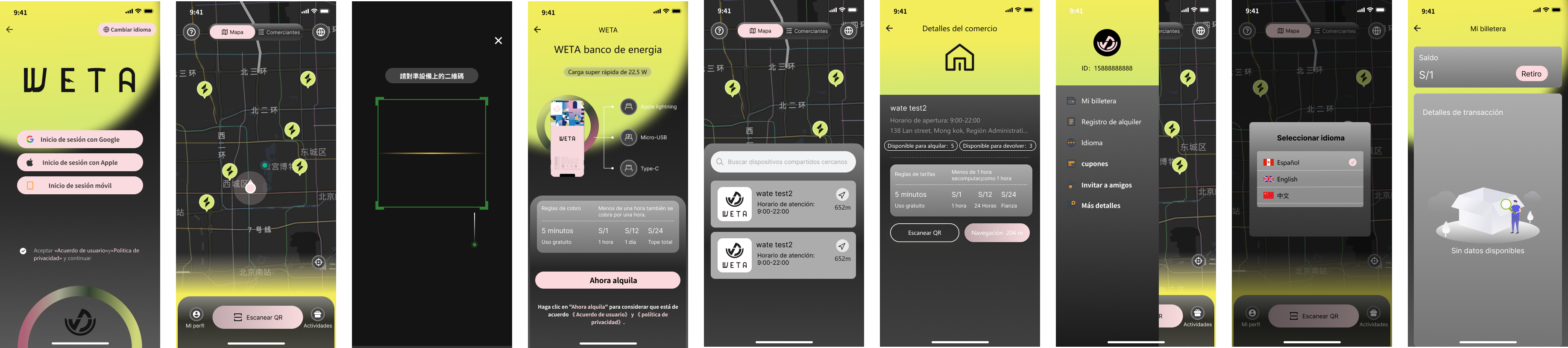
Designed For Real Rental Operations.
Adapt rental and payment methods for different markets, from scan-to-rent to refunds, pricing, merchant settlement and customer support.
Demo data
Hardware That Feels Ready For A Global Brand.
Use compact stations for pilots, higher-capacity stations for malls and hotels, and OEM/ODM branding when the model is proven.
Filter by equipment type, slot count and model.

POS product route
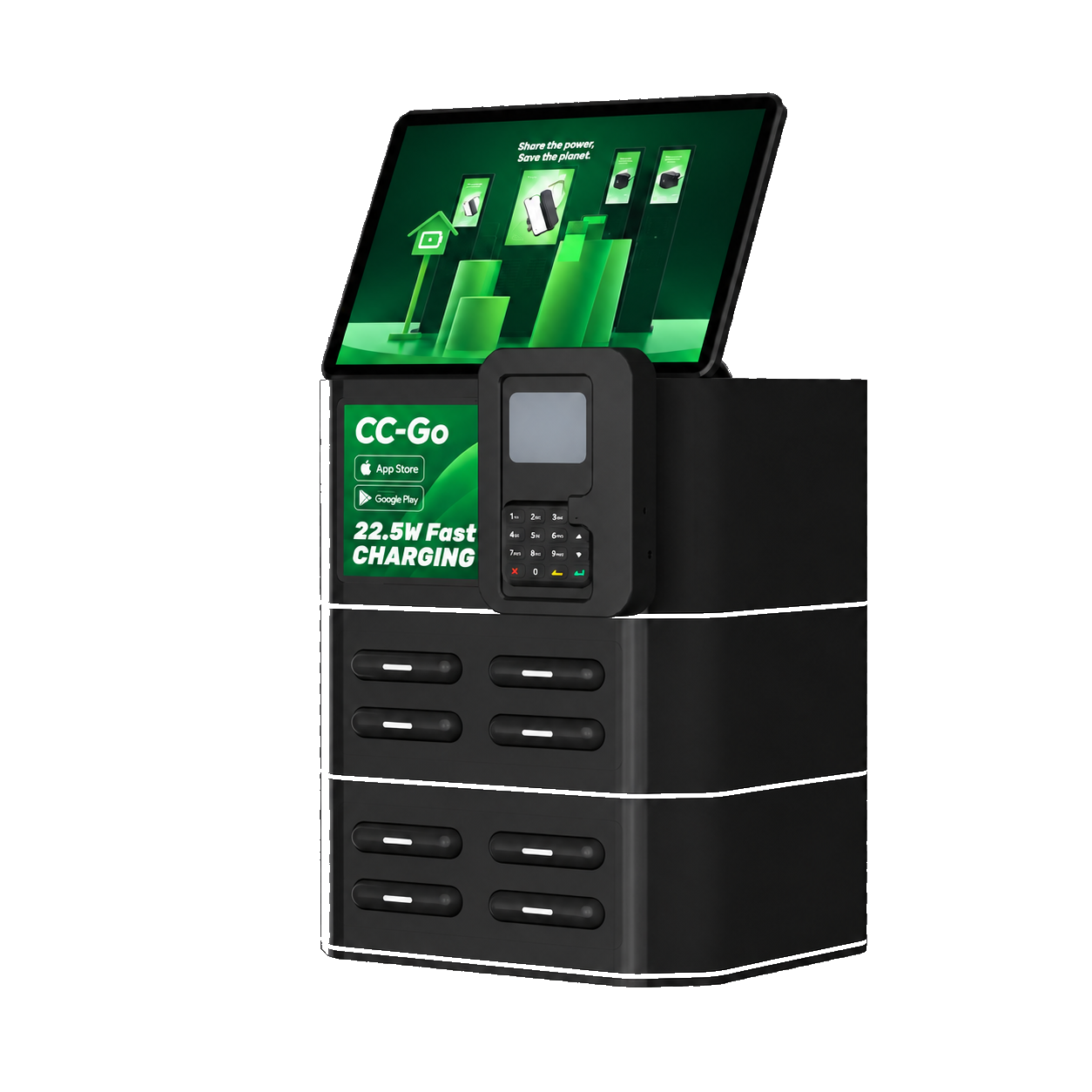
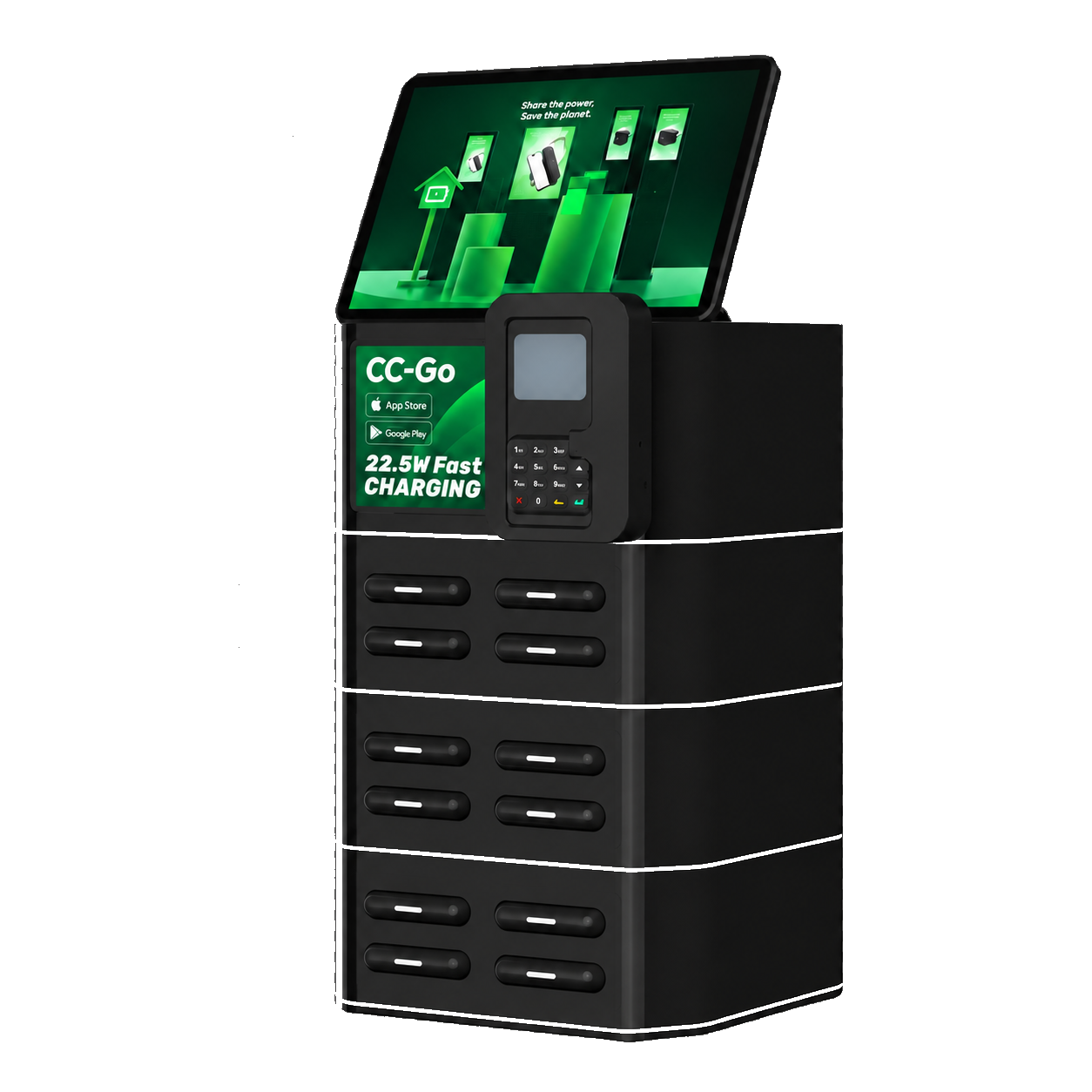
POS Rental with Your Own Stripe Account
For operators planning POS power bank rental in Stripe-supported markets where customers commonly use credit cards. Confirm availability for the exact country, account and POS configuration before ordering.
For this POS setup, you purchase the equipment and open your own Stripe account. CoreCharge Cloud provides the agreed software connection. Rental payments go to your Stripe account. We do not collect those rental payments on your behalf.
Under the current standard policy, the first 50 active stations have no CoreCharge SaaS fee for the first 12 months; only active stations above 50 cost USD 1 per station per month. The current free policy continues afterwards unless a new written policy is issued. Signed terms take precedence. Hardware, payment-provider fees and additional services are separate.
- Equipment
- Purchased by the operator after exact configuration review.
- Stripe account
- Opened and owned by the operator, subject to Stripe eligibility.
- Rental funds
- Paid into the operator's Stripe account, not collected by CoreCharge.
- Software connection
- Provided to the agreed scope after account, device and UAT review.
Verified Customer Deployments
Real systems, publicly verifiable.
PinDiDong, Charge Buddy and Qbee are authorized named CoreCharge delivery cases. Each case page shows the approved delivery scope, live public evidence routes and the boundary between independently observable facts and business-owner-authorized statements.
View verified deployments
PinDiDongShared power bank
Charge BuddyShared power bank

QbeeShared power bank + other shared devices
Name, logo and bounded delivery wording authorized 13 August 2026. Public evidence and private delivery facts are separated on each case page; no revenue, order-volume or endorsement claim is made.
A Product Matrix For Pilot, Rollout And High-Traffic Venues.
Compare tabletop, stackable and kiosk formats by venue density, rollout stage, payment habits and branding plan.
8 slots
Desktop Pilot Stations
Low trial cost for restaurants, cafes, bars, hotels and first venue batches.
- Best for 10-50 station pilots
- Low table footprint for cafes and restaurants
- Fast venue testing before brand upgrade
12 slots
Stackable Rollout Stations
Flexible expansion when station density and rental demand become clearer.
- Add capacity without changing the venue plan
- Good for proven restaurants, hotels and bars
- Supports phased rollout after SaaS validation
12 / 24 / 36 / 48 slots
Large-Screen Mall And Transport Kiosks
A modular kiosk format for shopping centers, transit hubs, events and tourist traffic, configurable as 12, 24, 36 or 48 slots.
- 36-slot reference cabinet for high-traffic public locations
- Large screen for payment guidance, ads and stronger brand presence
- Slot modules can be assembled into 12, 24, 36 or 48-slot formats
OEM / ODM
Explore Customization Path
Private-brand customization for teams ready to build their own market identity.
Customize the device shell, logo, stickers, screen content, rental UI, packaging files and operator-console brand settings after your pilot model is validated, or plan a branded first batch from the beginning.
Source-Based Factory Gallery
Review Factory Evidence By Source Before You Order.
Review each source on the evidence it provides. Factory A includes current production and delivery files; Factory B adds production-process media and model-bound document previews.
All current factory materials are grouped here: certificates, assembly, testing, aging, QC, packaging, inventory and delivery records.
Production line
Certificates
Quality control
Shipment evidence


Factory B source materials show the production environment, assembly and test processes, enclosure manufacturing and finished cabinets. Document previews below apply only to the exact models listed.
Factory campus
Production lines
Test and aging
Model documents


Model document previews
Check The Exact Model Before Procurement.
These previews identify specific document numbers, models and issue dates. Applicability must be confirmed against the shipped model, configuration and destination market.
Scope note: these records do not certify every Factory B product or every destination market. Confirm the exact SKU, radio/battery configuration, importer and current market requirements before ordering.
Questions Overseas Operators Ask Before Launch.
A practical FAQ for buyers comparing SaaS platforms, hardware suppliers, payment readiness, certification support and pilot launch risk.
Why choose an open shared-device SaaS platform?
CoreCharge Cloud is not locked to one factory. Operators can connect compatible shared power bank and shared-device hardware from different manufacturers, then manage devices, orders, pricing, roles and settlement in one platform.
Do I need my own software team to get started?
No custom development is required for the standard solution. CoreCharge provides the existing rental platform, dashboard and agreed onboarding guidance. You arrange local venues, eligible payment-account information, power, connectivity, customer service and operating rules.
Can I manage agents, merchants and investors separately?
Available roles and menus can separate staff, agents and venue views. You can review permitted device, order and revenue records and available Excel exports. Fields and permissions are demonstrated for your account; venue commission calculations do not automatically transfer money to venues.
How should local payment routes, languages and currencies be evaluated?
CoreCharge Cloud can evaluate a market-specific payment route for each project. Final availability depends on merchant onboarding and KYC, live account configuration, transaction and refund callback testing, and settlement verification with the selected provider. Rental pages, pricing, currency and time zone can then be configured for the approved project scope.
More questions: getting started, warranty and privacy
Can I start with just one station?
Yes. Test the rental experience and venue demand with a single-station pilot before expanding. Standard hardware and small-batch branding are the simplest starting point; special colours, tooling and custom development may have separate costs and minimum quantities.
What should I learn from my first pilot?
Start with a few venues and an equipment mix that fits them. Check whether customers rent, whether checkout and returns are clear, whether pricing works, and what venue service and maintenance cost. Use real operating records to decide where to add or relocate stations; a pilot does not guarantee profit.
Can you help with certification and customs documents?
Available safety, EMC/radio, RoHS and battery transport records are tied to the exact model and supply configuration. We identify what each document covers. Local registrations, responsible-importer arrangements or additional assessments are not automatically included.
What warranty and support come with the standard solution?
The standard warranty covers manufacturing defects for 12 months from delivery, subject to the order’s written terms and applicable rights. Remote diagnosis normally comes first; the local operator handles venue visits and customer enquiries. Wear, battery ageing, misuse, damage, theft and loss are not manufacturing defects. Replacement shipping and non-warranty work are agreed separately.
Who owns the equipment and receives rental revenue?
Purchased stations and power banks belong to you. In the standard own-account Stripe integration, rent is collected through your eligible Stripe account under Stripe’s terms. Hosted software use does not transfer CoreCharge software ownership or automatically grant territorial exclusivity. Custom work and private deployment have separate agreed scopes and fees.
Can customers rent without an app, and what data is used?
The QR/H5 flow opens in a phone browser without an app download or manual profile registration. It still uses visitor identifiers and rental records; guest access does not mean no data processing. Charging does not access phone content. Compatible physical-card configurations offer an alternative when a customer cannot use their phone. See the H5 privacy details below.
Content reviewed: 20 October 2026
Plan Your Overseas Shared Power Bank Launch.
Start with your first venue. Together, we can bring convenient shared charging to more everyday places. Tell us your target market and what you have in mind.
China contact
+86 177 6656 8184
WeChat ID: 17766568184 · Scan the QR code to add WeChat.
